
Your network, programmable
Configuration templates and stacks, MOPs, AI agents and a REST API. Automate everything from config backups to multi-step change procedures, with pre-checks, post-checks and rollback built in.
Infrastructure-as-code for your network
Write reusable, parameterized configuration templates in Jinja syntax on the Controller. Variables, conditionals, loops, filters and macros, rendered by MiniJinja. Preview the rendered output before it goes anywhere near a device.
Every change to a template's source is saved as a new version, and the variables it uses are detected automatically when you save it.
- Jinja syntax with variables, conditionals, loops, and filters
- A new version on every source change
- Live render preview before deployment
- Templates live on the Controller, shared across your team
{# Base interface configuration template #}
{% for interface in interfaces %}
interface {{ interface.name }}
  description {{ interface.description }}
  ip address {{ interface.ip }} {{ interface.mask }}
  {% if interface.ospf_enabled %}
  ip ospf {{ ospf_process }} area {{ interface.ospf_area }}
  ip ospf cost {{ interface.ospf_cost | default(10) }}
  {% endif %}
  {% if interface.acl %}
  ip access-group {{ interface.acl }} in
  {% endif %}
  no shutdown
!
{% endfor %}

{# Generate OSPF summary #}
router ospf {{ ospf_process }}
  router-id {{ router_id }}
  {% for network in ospf_networks %}
  network {{ network.prefix }} {{ network.wildcard }} area {{ network.area }}
{% endfor %}Deploy complete configurations as atomic units
Group related templates into Stacks: an ordered list of services deployed together. Deploy a complete set of configuration (interfaces, routing, security, monitoring) to many devices as a single operation over gNMI or NETCONF.
Variables can be shared across the whole stack or set per device, and can be filled in from an external API. Before pushing, the Controller backs up each device; afterwards it checks that the change landed.
- Services deploy in the order you set
- Shared and per-device variables
- Optional atomic mode: roll every device back if one fails
- Pre-deploy backup and post-deploy validation
L3 interfaces, descriptions, IPs
Process, networks, areas, cost
Neighbors, route-maps, filters
Access lists, management ACLs
SNMP communities, syslog, NTP
Step-by-step operational workflows with built-in safety
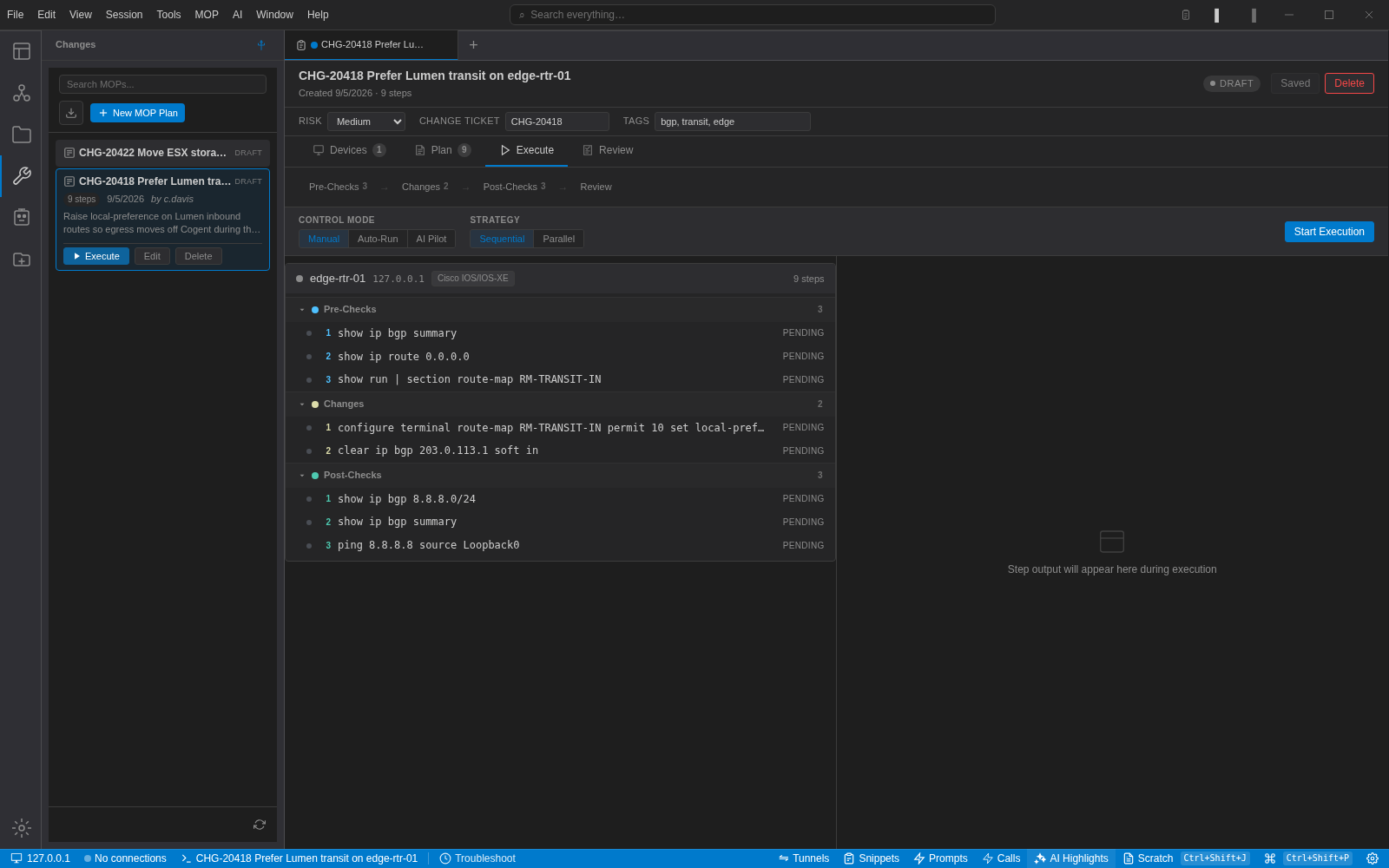
Plan pre-checks, changes, post-checks and rollback in the Terminal, then execute them step by step, phase by phase, or with the AI pilot. MOPs work in the free Terminal and with the Controller
Pick the Devices
Choose saved sessions in the free Terminal, or inventory devices when you are connected to the Controller. Credentials come from the credential profile, never from the procedure.
Run the Pre-Checks
Show commands capture the starting state. Each step can assert on its output: contains, does not contain, regex or exact line. A failed assertion fails the step.
Make the Change
Change steps can be CLI commands, saved Python scripts or Quick Actions that call a REST API. Run them one at a time, phase by phase, or let the AI pilot drive at the trust level you set.
Verify with Post-Checks
Post-checks run the same kind of assertions against the new state. Pair a pre-check with its post-check to compare before and after.
Roll Back if Needed
The rollback section is written before anything runs. When a step fails, execution pauses, skips or aborts, as you choose, and the rollback steps are ready to run.
Building blocks for every procedure
Combine these to turn a change plan into something you can run and review
CLI Command
Run a command on each target device over SSH. The output is captured against the step so you can review it after the change.
Python Script
Call one of your saved Python scripts as a step, with arguments, for checks that are easier to write in code than as a pattern.
Quick Action (REST)
Call a saved REST request against one of your API Resources: open a ticket, update an IPAM record, or query a monitoring system mid-change.
Output Assertions
Say what the output must or must not contain, as plain text, a regex or an exact line. Select text in a captured output to turn it into an assertion.
Pause Points
Pause automatically after the pre-checks, after the changes or after the post-checks, so a human looks at the state before the next phase starts.
Change Review
With the Controller, submit a MOP for review. Reviewers approve or reject it from the admin console, and the decision and comment stay with that revision.
Config history for every managed device
The NetStacks Controller pulls running configurations over SSH with each platform's own commands, or over gNMI and NETCONF for structured platforms, and keeps every pull as a numbered version for that device.
Engineers open the latest backup or the full backup history straight from the Devices panel in the Terminal, add notes, and diff any two versions. Snapshots back up a whole site or device type in one go, and every stack deployment takes its own backup first.
- SSH collection for Cisco, Juniper, Arista, Palo Alto, Fortinet, F5 and Linux
- Structured pulls over gNMI and NETCONF
- Every pull stored as a numbered version with notes
- Config diff in the Terminal's Config Backups tab
# What the Controller runs to pull a config over SSH
Cisco IOS / IOS-XE / IOS-XR / NX-OS
  terminal length 0
  show running-config

Juniper Junos
  set cli screen-length 0
  show configuration | display set

Arista EOS
  terminal length 0
  show running-config

Palo Alto PAN-OS
  set cli pager off
  show config running

Fortinet FortiOS
  show full-configuration
AI agents that investigate in the background
Agents are AI workers you define once, with a name, a system prompt and the model to use, and then hand tasks to from the Agents panel. An agent runs in the background, queries your devices, gathers diagnostic data and writes up what it found, asking you a question when it needs one.
Device commands from an agent go through the same read-only filter as the assistant, and file writes wait for your approval. A long investigation in the chat can be promoted to a background task, and an agent can hand part of the work to a specialist agent.
- Custom agents with their own prompt, provider and model
- Read-only SSH to devices for diagnostics
- Runs saved as transcripts you can continue as a chat
- Approval prompts before an agent writes files
Build on top of NetStacks
A REST API, a plugin system for the Controller, and saved REST calls for your custom workflows
REST API
The Controller exposes its devices, templates, stacks, MOPs, users and audit log over a JSON REST API, with an OpenAPI spec and Swagger UI built in. Authenticate with a bearer token from the login endpoint.
Plugin System
Build custom plugins for the NetStacks Controller (Enterprise) with the netstacks-plugin scaffold CLI, which generates a Python FastAPI service. Each plugin runs as its own container with its own database schema, behind the Controller at /api/plugins/<name>.
$ netstacks-plugin new my-integration
$ netstacks-plugin validate my-integration
$ netstacks-plugin package my-integration
# produces my-integration-<version>.nspkg
# upload it on the Controller's Plugins page
Quick Actions
Save REST requests against your API Resources and call them from a MOP step or the status bar. Integrate with your existing tools without writing a plugin.
NetBox Integration
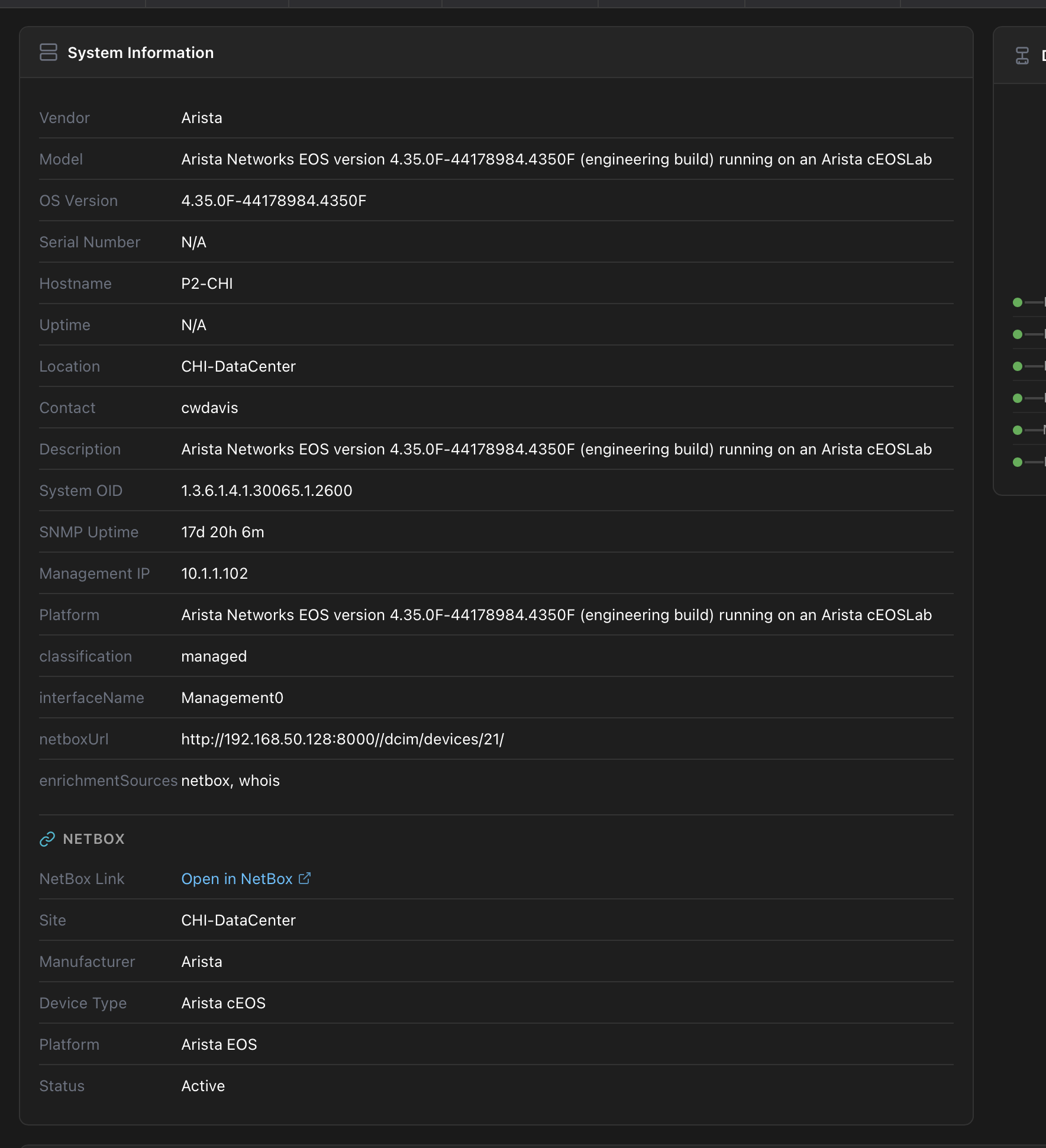
Import devices from NetBox, with credential profiles mapped by site and role and CLI flavour by platform or manufacturer. Run a sync whenever you want to pick up new devices. Your DCIM becomes your session library, or your Controller inventory.
Ready to automate your network?
Start with MOPs and AI agents in the free Terminal. Add the Controller for templates, stacks and shared config history.