
Every team has a wiki full of incident write-ups and an on-call engineer who does not know they exist. The write-up is filed under the ticket number. The engineer is looking at a hostname at three in the morning. Those two never meet.
Device memory is our attempt to fix the meeting point. Each session in NetStacks can carry a list of entries: the issue in one line, the root cause, the resolution, the commands that mattered and a ticket reference. Entries are written by whoever fixed it, usually in a minute, from the terminal they fixed it in.
What it looks like in practice
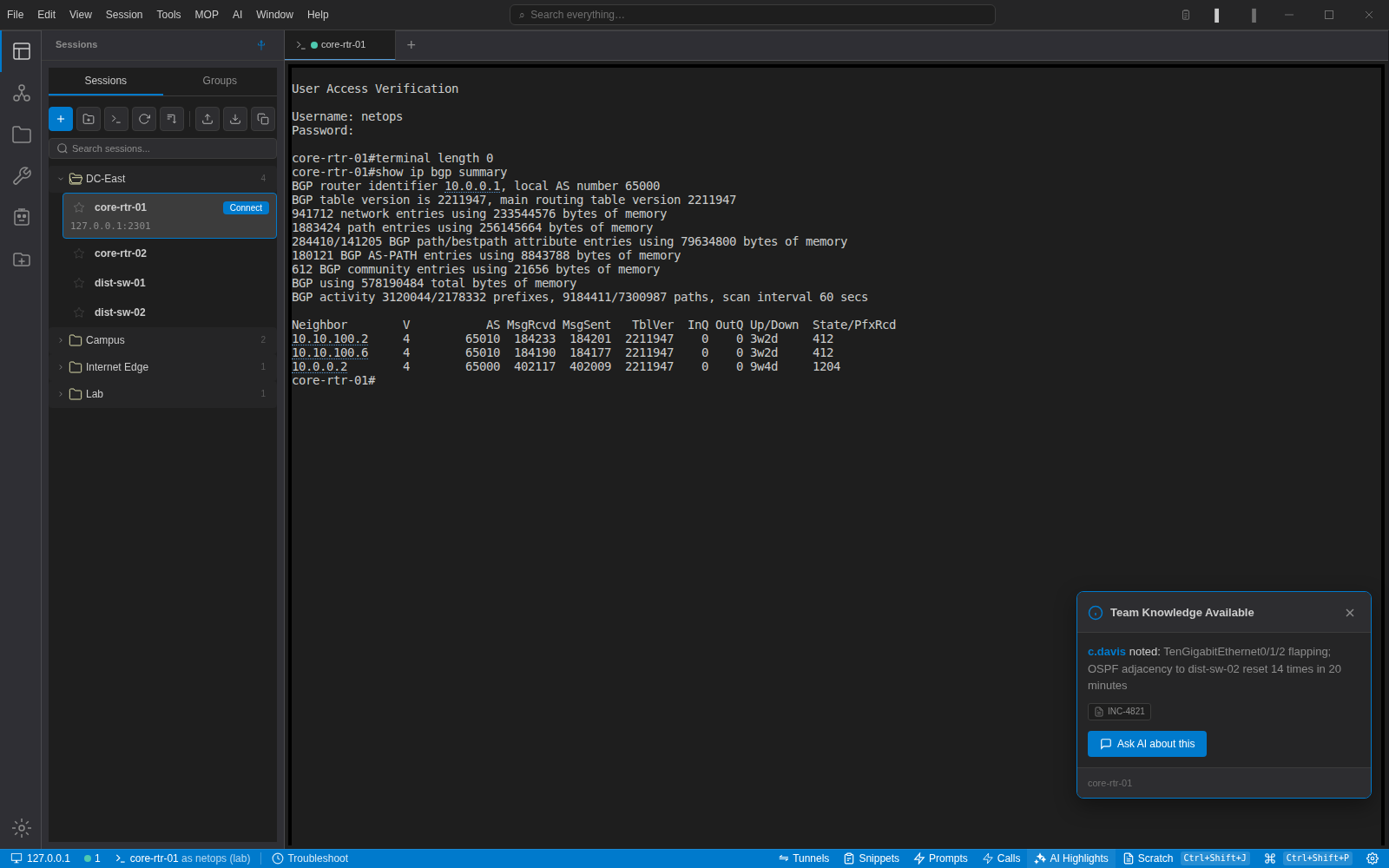
You connect to core-rtr-01. Before you type anything, a card appears in the corner: "c.davis noted: TenGigabitEthernet0/1/2 flapping; OSPF adjacency to dist-sw-02 reset 14 times in 20 minutes. INC-4821." If you are here because Te0/1/2 is flapping again, you have just saved twenty minutes. If you are not, you dismiss it and it stays out of the way.
The same entry is fed to the assistant when you ask about this device. Ask why the interface is down and the answer starts from "this happened before, it was a dirty fibre on patch panel port 2/17, check the optic first" instead of a generic list of causes.
Rules we settled on
Entries belong to the device, not to a person. The author is recorded, but the entry does not live in their notebook.
The card shows the latest entry only, with a count if there are more. Showing everything on connect trains people to dismiss it without reading.
Ticket references are plain text. We do not integrate with a ticketing system to store them; we just make them easy to copy.
Entries pass through the credential sanitiser like everything else that reaches a model, so a pasted show run fragment with a community string in it does not end up in a prompt.
Local and shared
In the free desktop app, memory lives in the local database with your sessions. With the NetStacks Controller it is shared across the organisation, so the entry the assistant reads about a device might have been written by someone on another continent last week. That is the point.
What it is not
It is not a CMDB, an incident manager or a replacement for the post-mortem. It is the two sentences from the post-mortem that the next engineer needs, in the one place we know they will look.