
Network CLI Highlighting
EnterpriseHow NetStacks highlights Cisco and Junos configuration backups in the Backup History view, and where config files are highlighted elsewhere.
Overview
NetStacks has a syntax-highlighting language called Network CLI (netcli) for device configuration text. A single grammar covers Cisco-style configs (IOS, IOS-XE, IOS-XR, NX-OS) and Junos-style configs. It makes long running-configs easier to scan; it does not parse or validate them.
Network CLI highlighting is used in the Backup History view for config backups stored on the NetStacks Controller. That view needs enterprise mode: the desktop app connected to a Controller, or the web terminal.
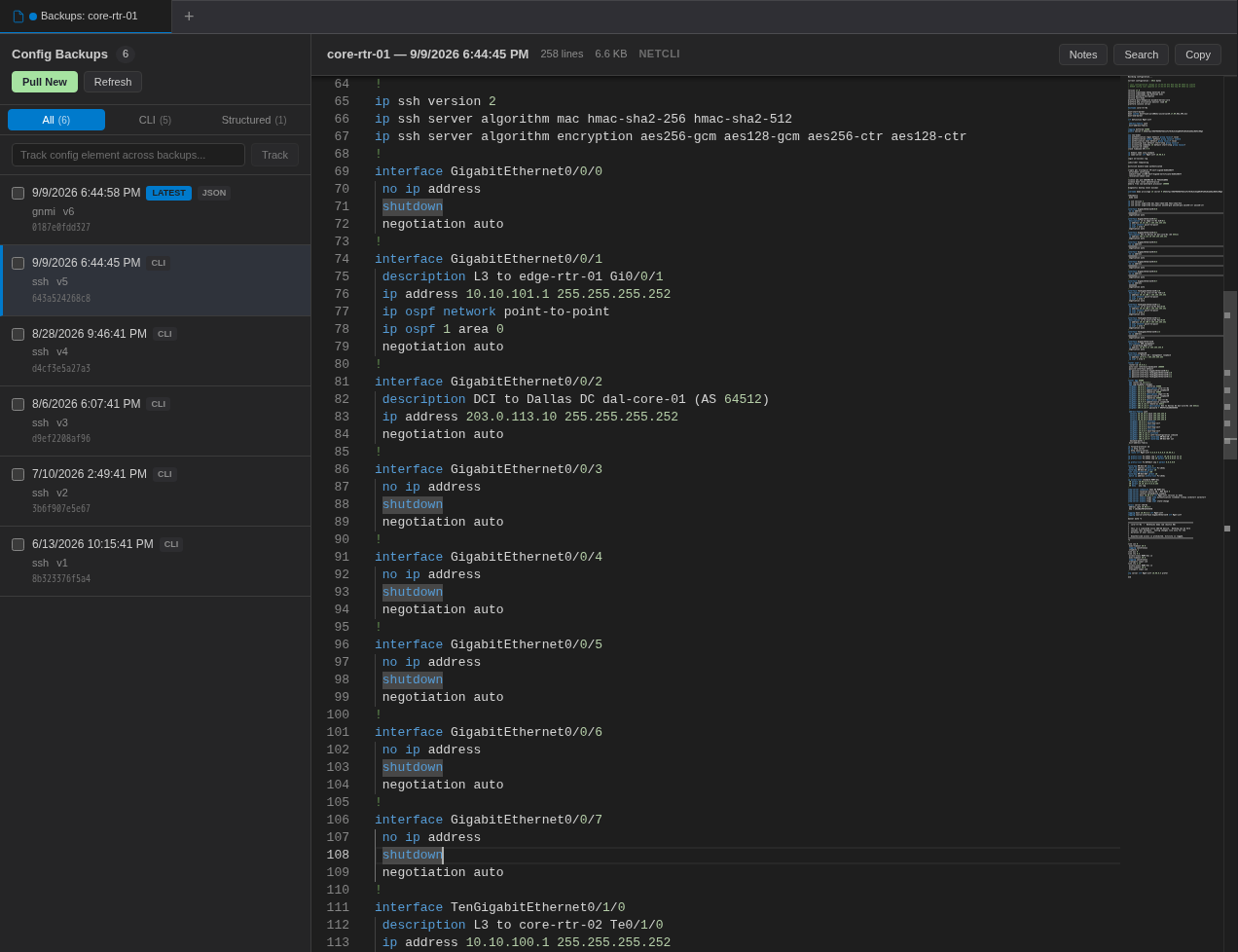
Open a Device's Backup History
- Open the Sessions view (the top icon in the activity bar) so the Controller's device list is showing.
- Right-click a device and choose Backup History (or View Latest Backup).
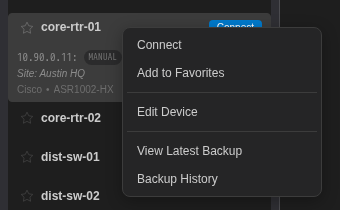
A Backups: <device> tab opens. The left side lists the backups (newest first, filterable by All, CLI and Structured). Click a backup to view it on the right. The header shows the line count, size and the language used, which is NETCLI for CLI backups.
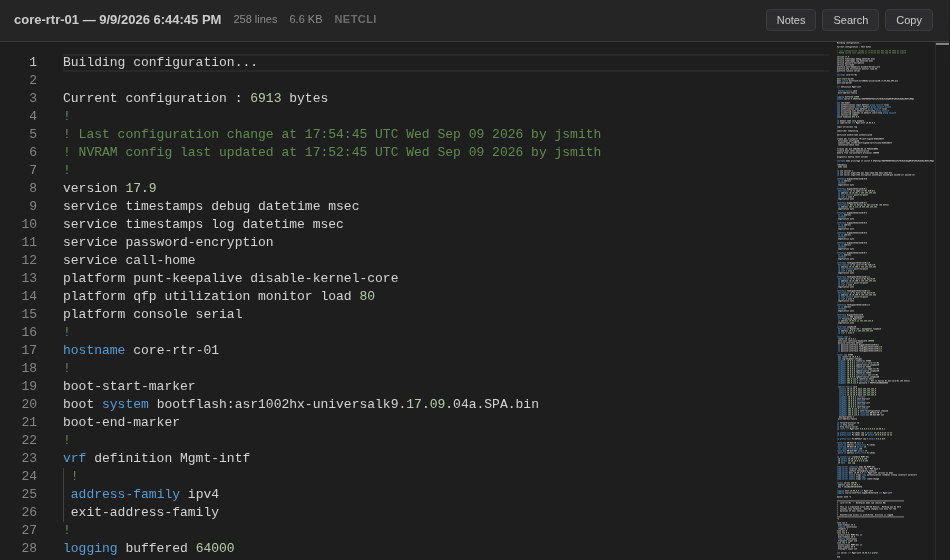
The rest of the Backup History view (pulling a new backup, comparing two backups, tracking a config line across backups and notes) is described in the config backups documentation.
What Gets Highlighted
| Element | Examples |
|---|---|
| Comments | Lines starting with ! or #, and /* ... */ blocks |
| Keywords at the start of a line (case-insensitive) | interface, router, bgp, ospf, vrf, vlan, ip, aaa, logging, hostname, neighbor, route-map, prefix-list, no, shutdown, set, delete, protocols, policy-options and others |
| Addresses | IPv4 addresses (with a mask or /prefix), IPv6 addresses, MAC addresses |
| Numbers and strings | AS numbers, VLAN IDs, quoted descriptions |
| Junos structure | { } braces, [ ] value lists and ; |
Backup Formats and Languages
Backup History picks a highlighter from the backup's format:
| Backup format | Highlighted as |
|---|---|
| CLI (for example collected over SSH) | Network CLI |
| JSON (for example gNMI) | JSON |
| XML / NETCONF XML | XML |
| YAML | YAML |
| Anything else | Plain text |
Config Files Elsewhere in NetStacks
Network CLI highlighting is not used in these places:
- The workspace editor: files ending in
.cfgor.confare highlighted as INI. - Config documents in Docs.
- Terminal sessions. To color words in live terminal output, use the highlighting rules in Settings → Highlighting.