
Example Templates
EnterpriseThree complete Cisco IOS-XE config templates (access port VLAN, NTP and logging, SNMPv2c with an ACL) with their variables, sample values, and rendered output.
Overview
These three templates make up the Campus access baseline stack in the NetStacks demo organization. All three use these settings:
- Config Format: CLI (plain IOS-XE commands)
- Operation: merge
- A different Target Path label on each template (
vlan/access-port,global/ntp-logging,global/snmp). For CLI templates the label is only descriptive, but it must be unique within a stack. See Template fields.
Copy any of them into Template Source in a new template (Config Automation → Templates → Create Template) and change the values to suit your network.
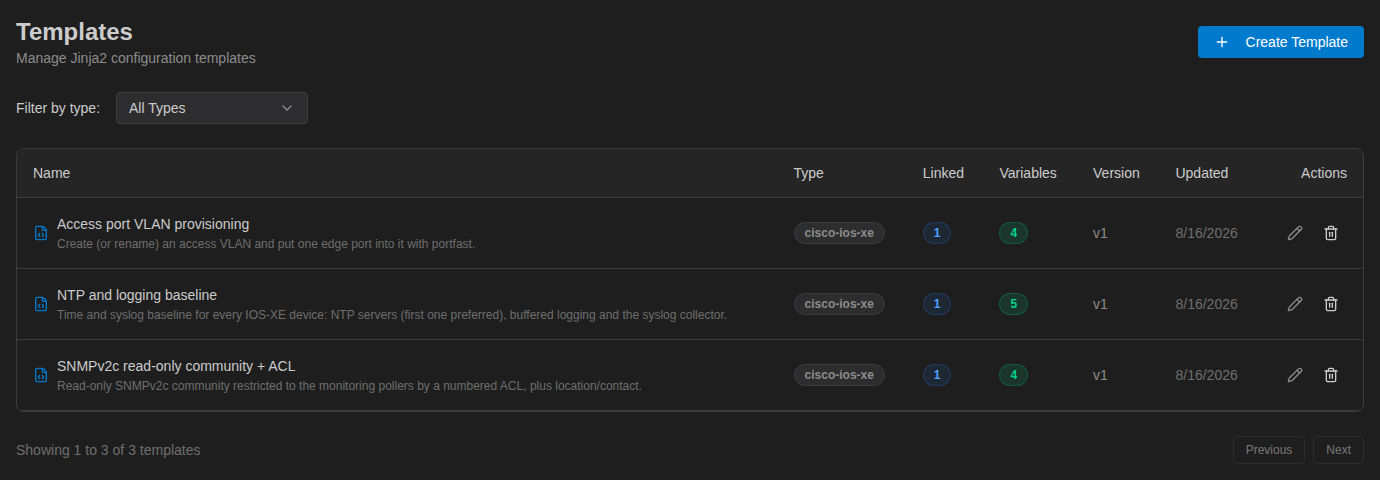
The Templates list shows how many stacks use each template (Linked), how many variables it has, and its current version.
Access Port VLAN Provisioning
Creates (or renames) an access VLAN and puts one edge port into it with portfast. It uses only plain substitution, so it is a good first template.
vlan {{ vlan_id }}
 name {{ vlan_name }}
exit
interface {{ interface }}
 description {{ port_description }}
 switchport mode access
 switchport access vlan {{ vlan_id }}
 spanning-tree portfast
 no shutdown
exit| Variable | Example value | Scope in the stack |
|---|---|---|
vlan_id | 120 | Shared |
vlan_name | GUEST-WIFI | Shared |
interface | GigabitEthernet1/0/36 | Per Device |
port_description | Guest AP — floor 1, jack 101-36 | Per Device |
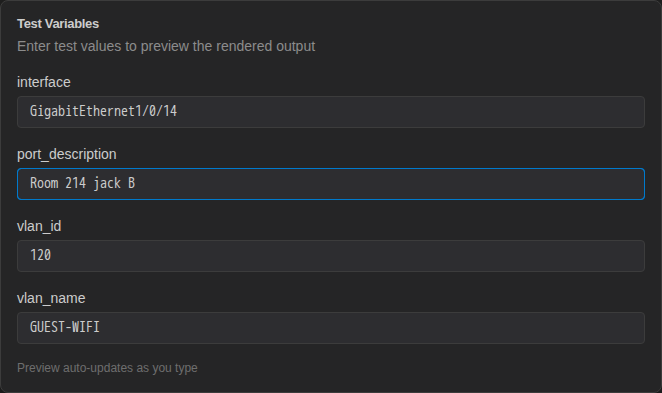
In the template editor, Test Variables has one field per detected variable. With these values, the template renders to:
vlan 120
 name GUEST-WIFI
exit
interface GigabitEthernet1/0/36
 description Guest AP — floor 1, jack 101-36
 switchport mode access
 switchport access vlan 120
 spanning-tree portfast
 no shutdown
exit
NTP and Logging Baseline
Sets timestamps, time zone, NTP servers, and syslog for every IOS-XE device. It loops over a list of NTP servers and marks the first one prefer using loop.first.
! NTP / logging baseline — {{ site }}
service timestamps log datetime msec localtime show-timezone
clock timezone CST -6 0
clock summer-time CDT recurring
{% for server in ntp_servers %}
ntp server vrf Mgmt-intf {{ server }}{% if loop.first %} prefer{% endif %}
{% endfor %}
logging buffered {{ logging_buffer }}
logging host {{ syslog_server }} vrf Mgmt-intf
logging trap {{ logging_level }}
logging source-interface Loopback0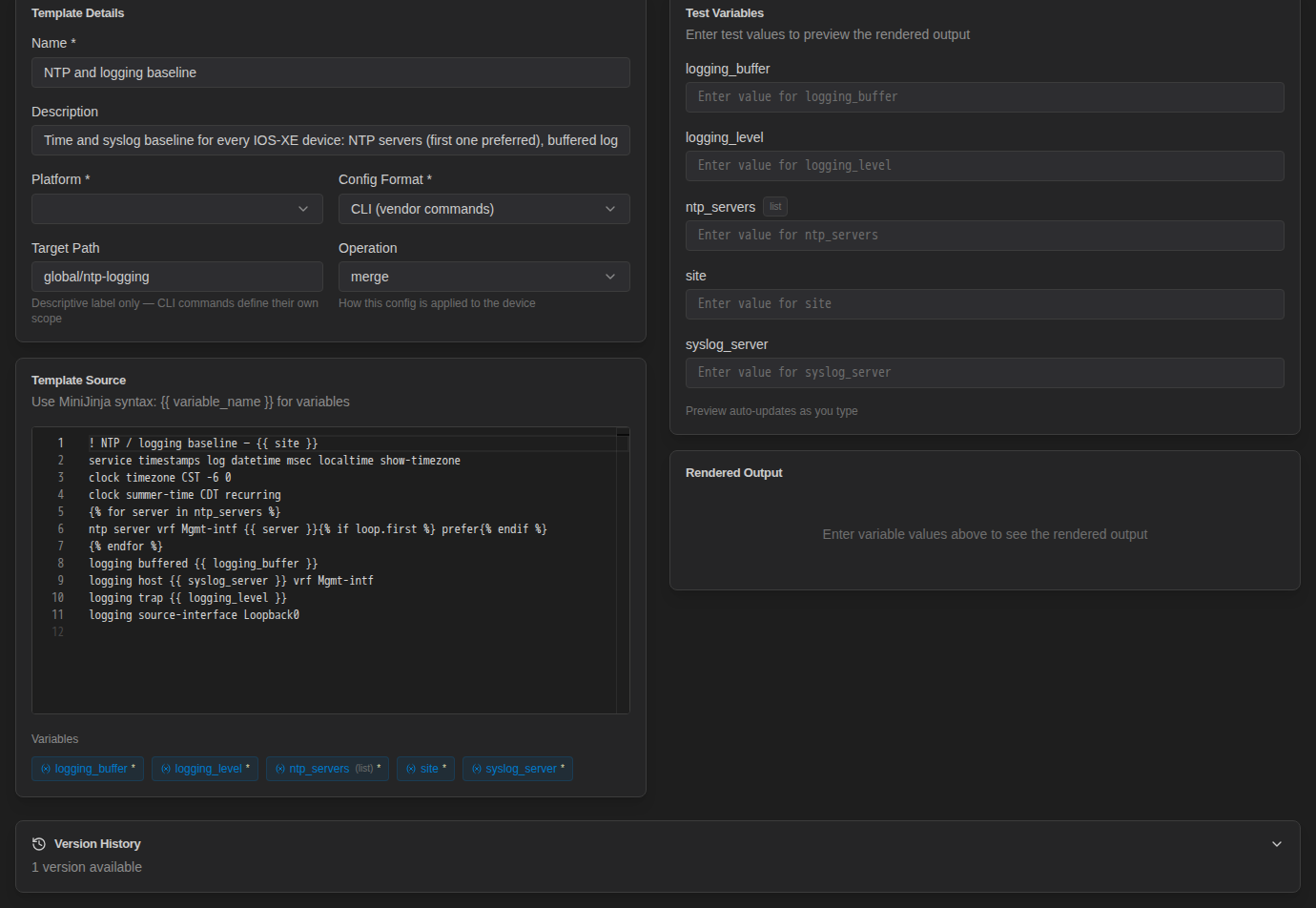
NetStacks detects five variables. ntp_servers is tagged list because it is used in a for loop. Enter a list value as a JSON array, for example ["10.90.0.5", "10.90.0.4"].
| Variable | Example value |
|---|---|
site | Austin HQ |
ntp_servers | ["10.90.0.5", "10.90.0.4"] |
logging_buffer | 64000 |
syslog_server | 10.90.0.6 |
logging_level | informational |
Rendered output:
! NTP / logging baseline — Austin HQ
service timestamps log datetime msec localtime show-timezone
clock timezone CST -6 0
clock summer-time CDT recurring

ntp server vrf Mgmt-intf 10.90.0.5 prefer

ntp server vrf Mgmt-intf 10.90.0.4

logging buffered 64000
logging host 10.90.0.6 vrf Mgmt-intf
logging trap informational
logging source-interface Loopback0The blank lines come from the line breaks after the {% for %} and {% endfor %} tags. IOS-XE ignores them. If you want tidy output, add whitespace control:
{% for server in ntp_servers -%}
ntp server vrf Mgmt-intf {{ server }}{% if loop.first %} prefer{% endif %}
{% endfor -%}
SNMPv2c Read-Only Community + ACL
Builds a numbered ACL from a list of poller addresses, then ties a read-only SNMPv2c community to it and sets location and contact.
! SNMP read-only access — {{ snmp_location }}
access-list 60 remark SNMP-RO pollers
{% for poller in allowed_pollers %}
access-list 60 permit host {{ poller }}
{% endfor %}
access-list 60 deny any log
snmp-server community {{ community }} RO 60
snmp-server location {{ snmp_location }}
snmp-server contact {{ snmp_contact }}
snmp-server ifindex persist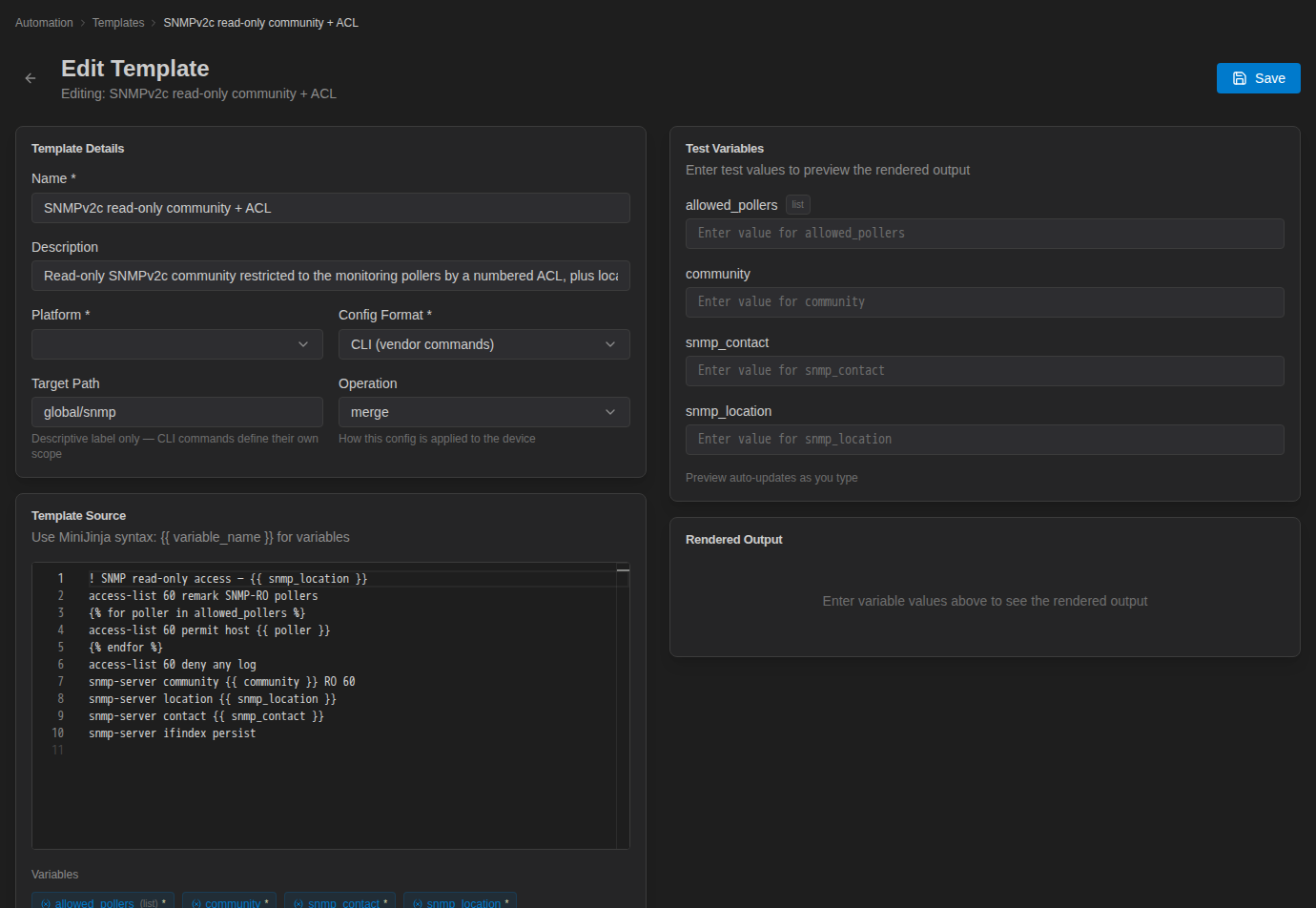
With allowed_pollers set to ["10.90.0.6", "10.90.0.7"], the loop produces one permit host line per poller:
! SNMP read-only access — Austin HQ MDF 3.14
access-list 60 remark SNMP-RO pollers

access-list 60 permit host 10.90.0.6

access-list 60 permit host 10.90.0.7

access-list 60 deny any log
snmp-server community demo-ro RO 60
snmp-server location Austin HQ MDF 3.14
snmp-server contact [email protected]
snmp-server ifindex persistThe community is entered as an ordinary variable value. It is stored with the instance or deployment and shows up in the rendered config in deployment logs. Anyone who can open the deployment can see it.
Useful Variations
Optional voice VLAN. Leave voice_vlan empty and the line is skipped:
interface {{ interface }}
 switchport access vlan {{ vlan_id }}
{% if voice_vlan %}
 switchport voice vlan {{ voice_vlan }}
{% endif %}
A range of ports. Use range() to configure a block of interfaces from two numbers:
{% for n in range(first_port, last_port + 1) %}
interface GigabitEthernet1/0/{{ n }}
 switchport access vlan {{ vlan_id }}
{% endfor %}
Several ports with their own settings. Pass a JSON list of objects, for example [{"name": "Gi1/0/1", "vlan": 10}, {"name": "Gi1/0/2", "vlan": 20}]:
{% for port in ports %}
interface {{ port.name }}
 switchport mode access
 switchport access vlan {{ port.vlan }}
{% endfor %}
Related Pages
- Template Syntax (MiniJinja)
- Creating a Stack: combine these templates
- Instances & Deploying: push them to devices