
Live Sessions
EnterpriseMonitor active SSH sessions brokered by the NetStacks Controller, create share links, and terminate or take over a session.
Overview
When engineers connect to devices through the Controller — from the web terminal or from NetStacks Terminal in enterprise mode — the Controller opens the SSH or Telnet connection to the device itself, using credentials from the organization's vault. Those brokered sessions appear on the Active Sessions page, where administrators can watch activity, share a session, or end it.
Open it from Access & Secrets → Sessions (/access/sessions). Managing sessions requires the Users & Roles permission. The page shows sessions in the organization you are working in.
Active Sessions
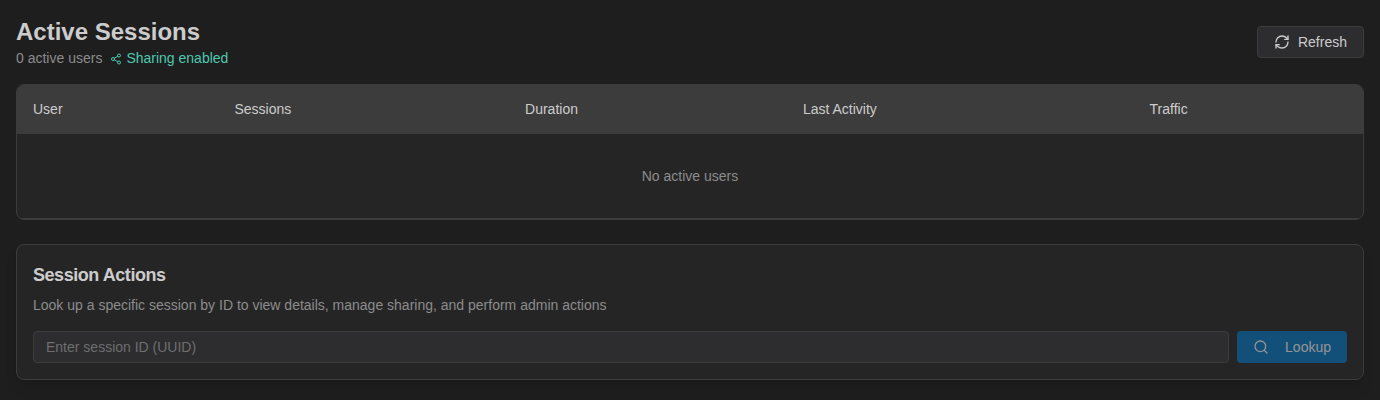
The header shows how many users are active and whether Sharing enabled is available. The table groups sessions by user, with Sessions, Duration, Last Activity and Traffic (bytes sent/received). Click Refresh to update.
The dashboard's Live Sessions card and panel show the same information at a glance. Sessions idle for 30 minutes are closed automatically.
Look Up a Session
- In Session Actions, paste a session ID into Enter session ID (UUID).
- Click Lookup.
Session Details shows the User, Backend, Protocol, Created, Last Activity and Traffic, followed by the sharing and admin actions below.
Share a Session
A share link lets someone watch — or co-drive — a live session in their browser, for example to get a second pair of eyes during a change.
- Look up the session.
- Under Session Sharing, choose Permission (Read Only or Read + Write), a TTL (minutes) (default 60) and Max Viewers (default 5).
- Click Create Share Link, then Copy the link and send it.
- Click Revoke to end sharing before the TTL expires.
Sharing needs Valkey (included in the standard deployment). Share links are built from the Advertise Address in Settings → HA / Clustering — set it to your Controller's external URL, for example https://controller.example.com:3000, and restart the API.
Creating and revoking share links is recorded in the audit log (session.share.created, session.share.revoked). Engineers can also share their own sessions from NetStacks Terminal.
Terminate or Take Over
- Terminate Session — disconnects the session immediately after you confirm. Recorded as
session.terminated. - Takeover Session — after you confirm Take Over Session, the active user is disconnected and the page shows a Takeover WebSocket URL for attaching to the session. Recorded as
session.takeover.
Related Settings
Under Settings → Terminal Sessions:
- Idle Timeout (minutes) and Reconnect Window (seconds) for browser-terminal sessions (applied on restart).
- Max Concurrent Sessions (0 = unlimited).
- Session Recording — allow users to record sessions; recordings appear under Access & Secrets → Recordings.
- SSH Host Key Policy for brokered connections.
See System Settings.