
SNMP Polling
On-demand SNMP v2c polling in NetStacks: interface quick looks in the terminal, the live topology overlay, Network Tools on the Controller, and crawler SNMP collection.
Overview
NetStacks uses SNMP to answer questions on demand — “how busy is this interface right now?”, “which links on this map are erroring?” — and, on the Controller, to drive the NetStacks Crawler's discovery. Polling happens when you ask for it or while a live view is open.
| Feature | Standalone | Enterprise |
|---|---|---|
| Interface quick look from the terminal | Yes | Yes (polled by the Controller) |
| Live topology overlay | Yes | — |
| Device and link detail tabs on a topology | Yes | Yes |
| Network Tools (SNMP Get/Walk, interface stats) | — | Yes (admin console) |
| Crawler SNMP discovery and collection | — | Yes |
NetStacks polls with SNMP v2c community strings. It does not receive SNMP traps or store metric history for graphs; for alerting, use the Controller's Alerts plugin with your existing monitoring system.
SNMP Credentials
- Standalone: open the credential profile (Settings → Profiles) and add entries under SNMP Community Strings. Multiple communities are tried in order, and they are stored encrypted in your vault. A session uses the communities of its profile.
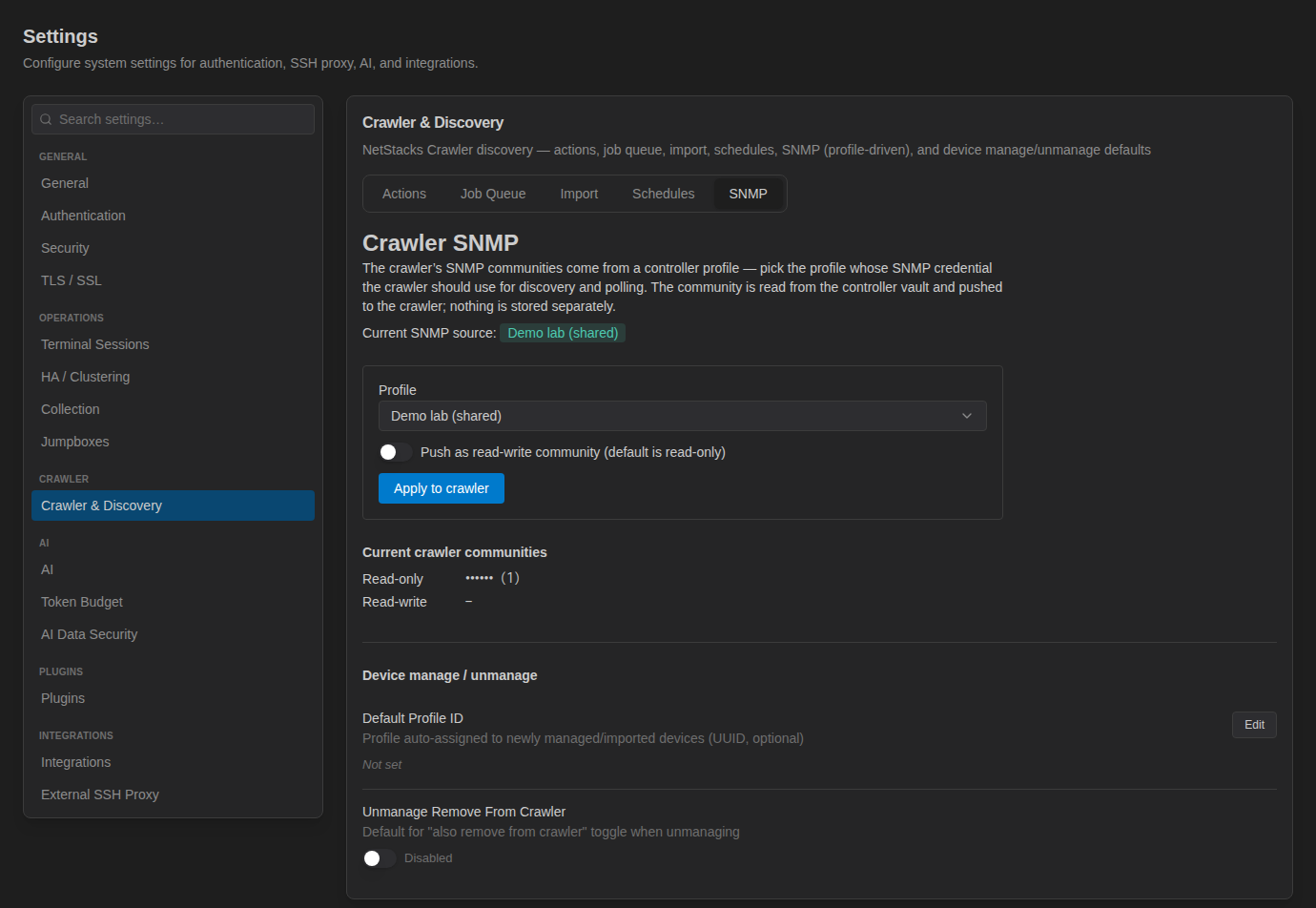
- Controller: add an SNMP community secret to the device's profile under Access & Secrets → Profiles. The crawler uses the profile chosen under Settings → Crawler & Discovery → SNMP.
What Is Polled
| Data | Source |
|---|---|
| Interface status, speed, description, in/out octets, errors, discards | IF-MIB (ifTable / ifXTable) |
| CPU and memory | Cisco CPU and memory-pool MIBs, falling back to HOST-RESOURCES-MIB processor load |
| Uptime and system description | sysUpTime, sysDescr |
| Neighbours (for discovery) | LLDP-MIB, CDP-MIB |
Interface Quick Look
In a connected terminal, right-click an interface name in the output (for example GigabitEthernet0/0/1 in show ip interface brief) and choose SNMP Stats: <interface>.
A popover polls the interface twice, a few seconds apart (“Polling...”, “Collecting second sample...”), then shows the interface status and speed, its description, in/out rates, and the Errors In, Errors Out and Discards counters. Click Refresh to sample again, or press Esc to close.
In standalone mode the Terminal polls the device directly (or through the session's jump host); in enterprise mode the Controller polls it using the device's profile.
Live Topology Overlay
In the standalone Terminal, open a topology and click Live to poll every device on it every 30 seconds. Links are coloured by health and show utilisation, and each device shows interfaces up, CPU, memory and uptime. Device and link detail tabs show the polled values. See Network Topology.
Network Tools (Controller) Enterprise
Inventory → Network Tools in the admin console has two cards.
Lookup Tools: OUI Lookup (MAC vendor), DNS Lookup, WHOIS Lookup, ASN Lookup, and SNMP Get / SNMP Walk. For SNMP, pick a Device, enter an OID (for example 1.3.6.1.2.1.1.1.0 for sysDescr) and a Port (default 161), and click Poll.
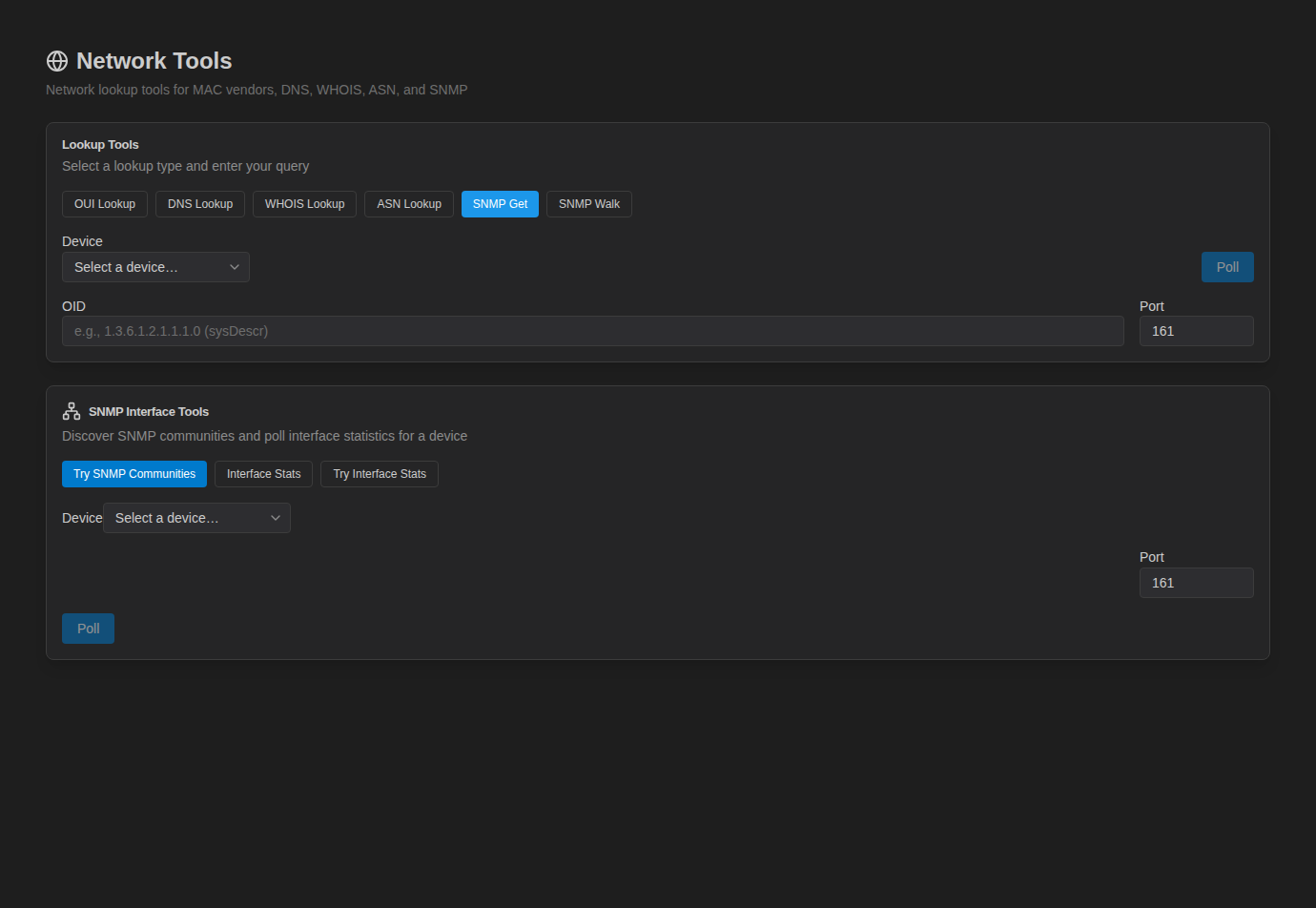
SNMP Interface Tools:
- Try SNMP Communities — finds which of the profile's communities the device answers to.
- Interface Stats — polls one interface (Interface Name, e.g.
GigabitEthernet0/1) with a community you enter. - Try Interface Stats — polls an interface, trying the profile's communities.
Communities come from the selected device's profile.
Crawler SNMP Collection (Controller) Enterprise
The NetStacks Crawler walks devices over SNMP to collect device details, ports, neighbours, MAC and ARP tables, VLANs and modules, shown on each device's detail page and in Discovery reports. Assign its community under Settings → Crawler & Discovery → SNMP:
See Network Discovery for the full crawler workflow.
Troubleshooting
| Problem | What to check |
|---|---|
| Timeouts | The device must allow SNMP from the polling host (your machine in standalone, the Controller in enterprise); check ACLs and that UDP 161 is reachable. |
| No response with the right IP | Wrong community. Use Try SNMP Communities (Controller) or add the community to the profile (standalone). |
| Device only supports SNMPv3 | NetStacks polls with v2c communities; enable a read-only v2c community restricted by ACL to the polling host. |
| CPU/memory shows no data | The device doesn't expose the Cisco or HOST-RESOURCES MIBs used for CPU and memory. |
| Live button missing on a topology | Devices need IP addresses, profiles with SNMP communities, and links with interface names. |