
Knowledge Base & Controller AI Chat
EnterpriseThe Controller's searchable knowledge base: where its content comes from, how it is indexed, how the AI uses it, and the Controller AI Chat that answers questions from it.
Overview
The knowledge base is the Controller's store of searchable documentation — runbooks, troubleshooting reports, templates, config backups, MOPs and crawled vendor or internal docs. The AI searches it to ground its answers in your environment. Open it in the admin console under AI & Agents → Knowledge (/ai/knowledge). The page has four tabs: Documents, Web Sources, Health and Graph.
How Content Is Indexed
- Documents are split into word-based chunks of about 512 words with a 50-word overlap.
- Each chunk is passed through your organization's sanitization rulesbefore indexing, so credentials are redacted from the index.
- Embeddings are produced on the Controller itself with the local model BAAI bge-small-en-v1.5(384 dimensions). No external embedding API is called and no document text leaves the Controller for indexing.
- Vectors are stored in PostgreSQL with pgvector — no separate vector database is needed.
- Search is hybrid: a vector (semantic) search and a PostgreSQL full-text search run together and their rankings are merged, so both exact terms (an error string, a command) and paraphrased questions match.
Each document moves through the states Pending, Processing, Indexed, Failed or Review Required.
Where Content Comes From
- Documents saved from the NetStacks Terminal in enterprise mode are stored on the Controller and indexed:
- Troubleshooting reports, templates, config backups and MOP documents are shared with your organization.
- Session outputs and history are private to the user who saved them and are summarized before indexing.
- Secure Notes are encrypted at rest and are never indexed or sent to the AI.
- MOPs created on the Controller.
- Web sources — documentation sites crawled by the Controller. See Web Sources.
- Plugins can add documents through the Controller's plugin API.
Only text and HTML content is indexed; there is no PDF or Word file import.
Browse and Search Documents
The Documents tab lists every document with Title, Source, Category, State and Updated At. Use the State and Category filters and Refresh to narrow the list, or type in “Search knowledge base...” and click Search to run the same hybrid search the AI uses.
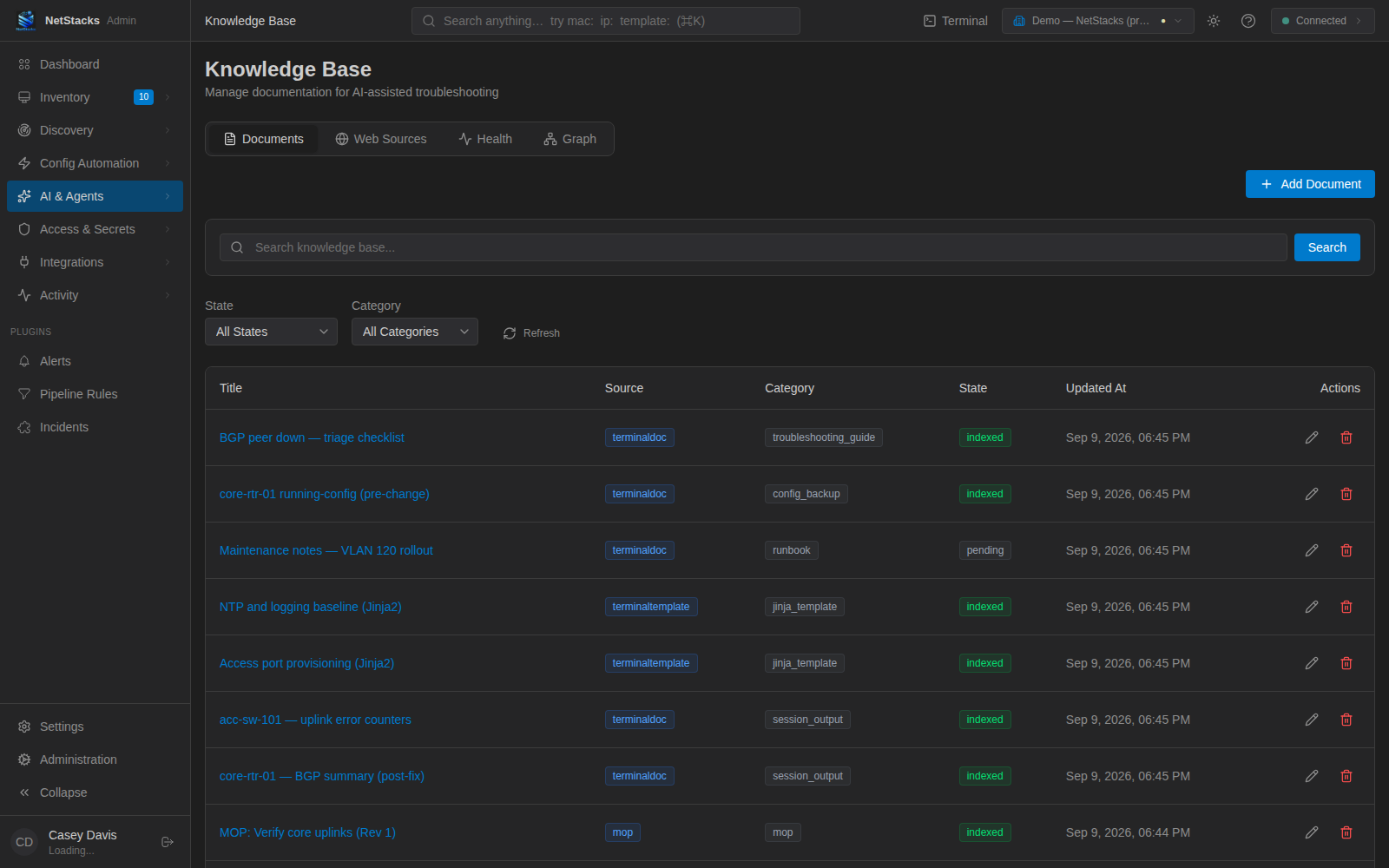
Click a title to open the document: description, category, tags, details (creator, content type, embedding model, source URL) and processing status. Reprocess re-chunks and re-indexes it; Retry Processing retries a failed document. Document bodies are view-only in the admin console.
Health Tab
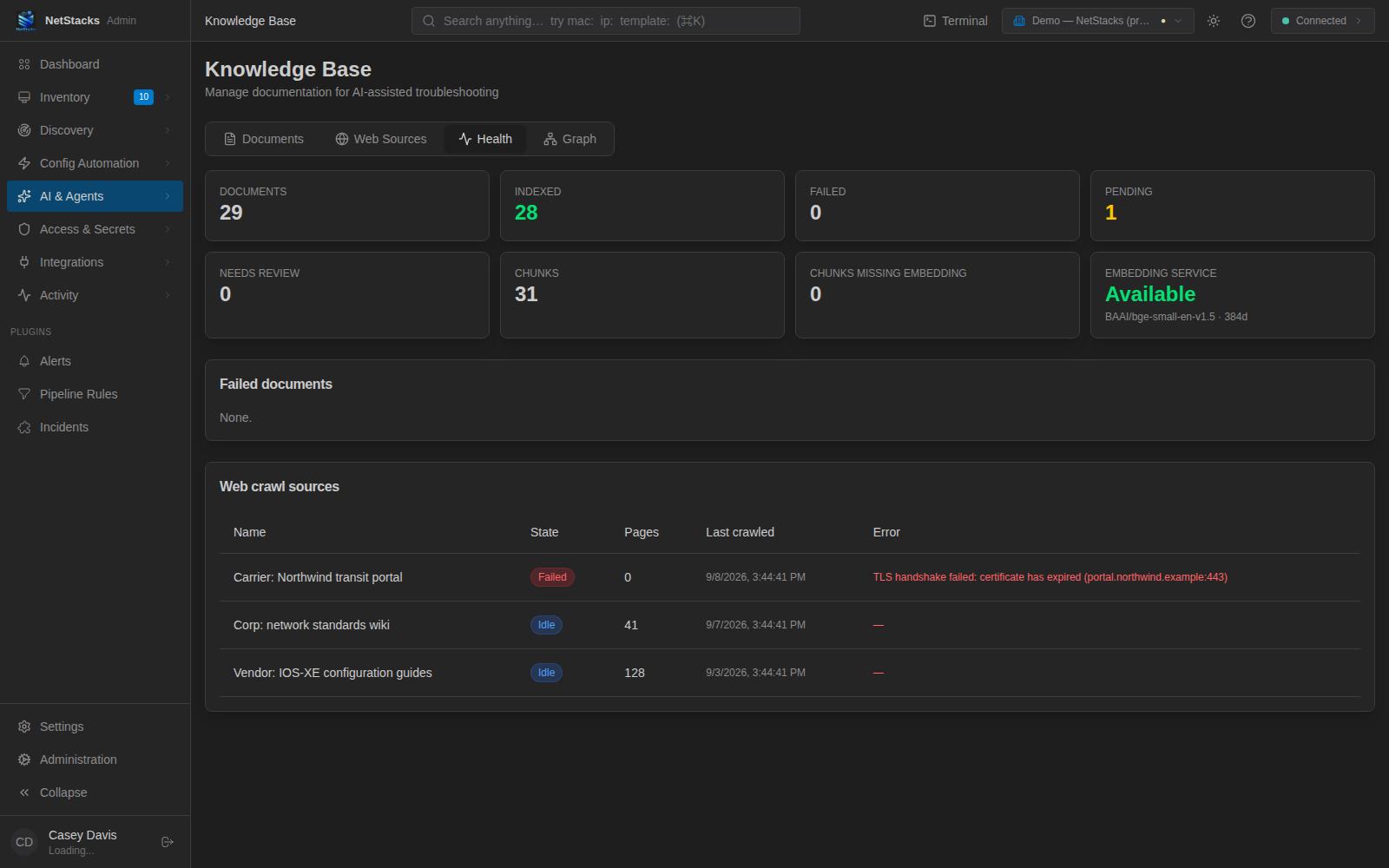
Health summarizes the index: Documents, Indexed, Failed, Pending, Needs review, Chunks, Chunks missing embedding, and the Embedding service status (model and dimensions). Below are tables of failed documents and of web crawl sources with their last error.
Graph Tab
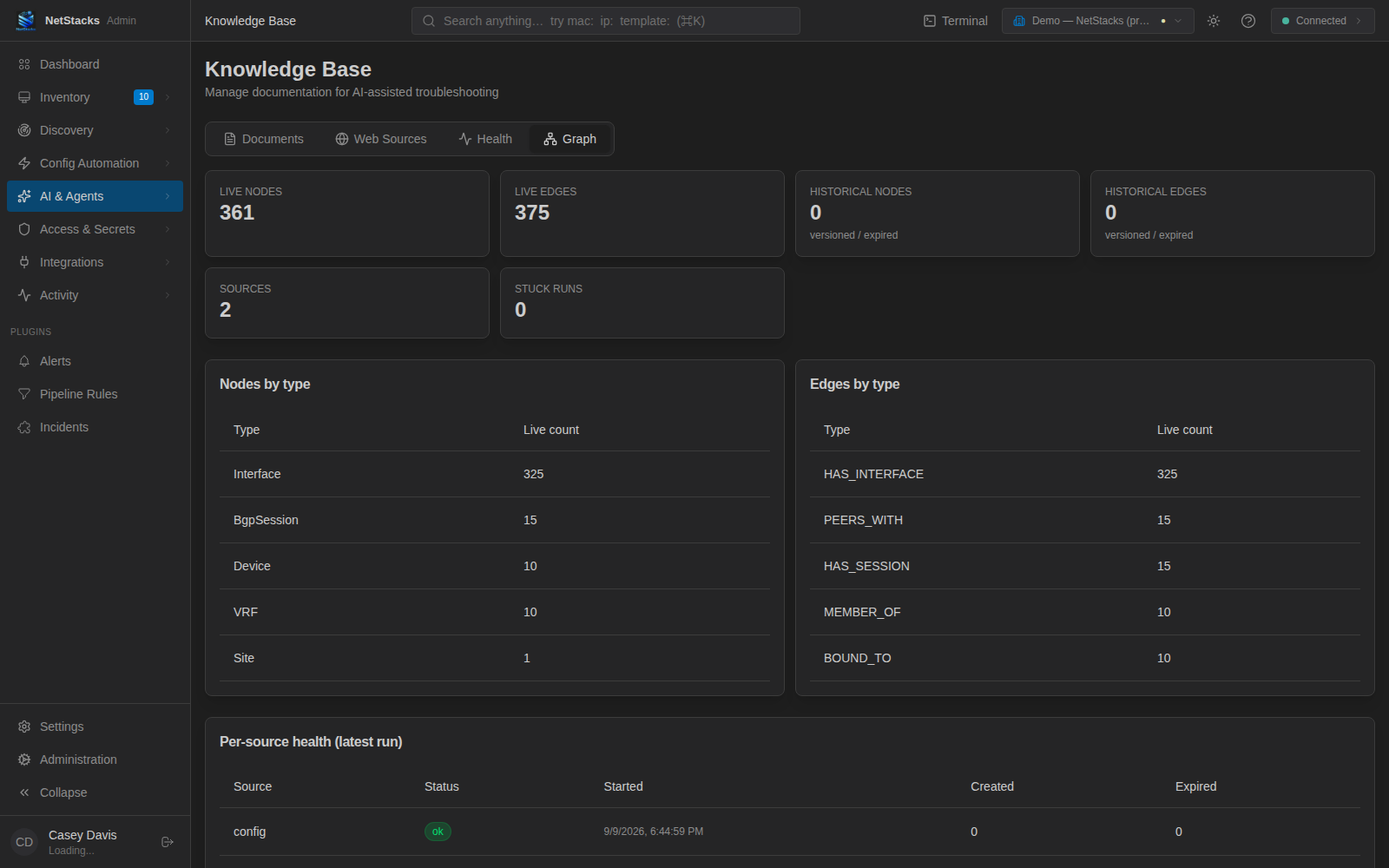
Alongside documents, the Controller keeps a network knowledge graph built from NetBox inventory and structured config backups — devices, sites, interfaces, VRFs, BGP sessions and how they connect. It is rebuilt after a NetBox sync. The Graph tab is a read-only view of it: live and historical node and edge counts, Nodes by type, Edges by type, per-source health and recent ingestion runs.
How the AI Uses the Knowledge Base
- Controller AI Chat searches the knowledge base for every question and cites the documents it used (see below).
- Terminal AI assistant (enterprise mode) receives Controller-side tools:
search_knowledgefor documents, andgraph_node,graph_neighbors,graph_impactandgraph_pathfor the network graph. Each call runs on the Controller and is checked against your permissions.
Controller AI Chat
AI & Agents → Chat (/ai/chat) is a question-and-answer chat in the admin console, grounded in the knowledge base.
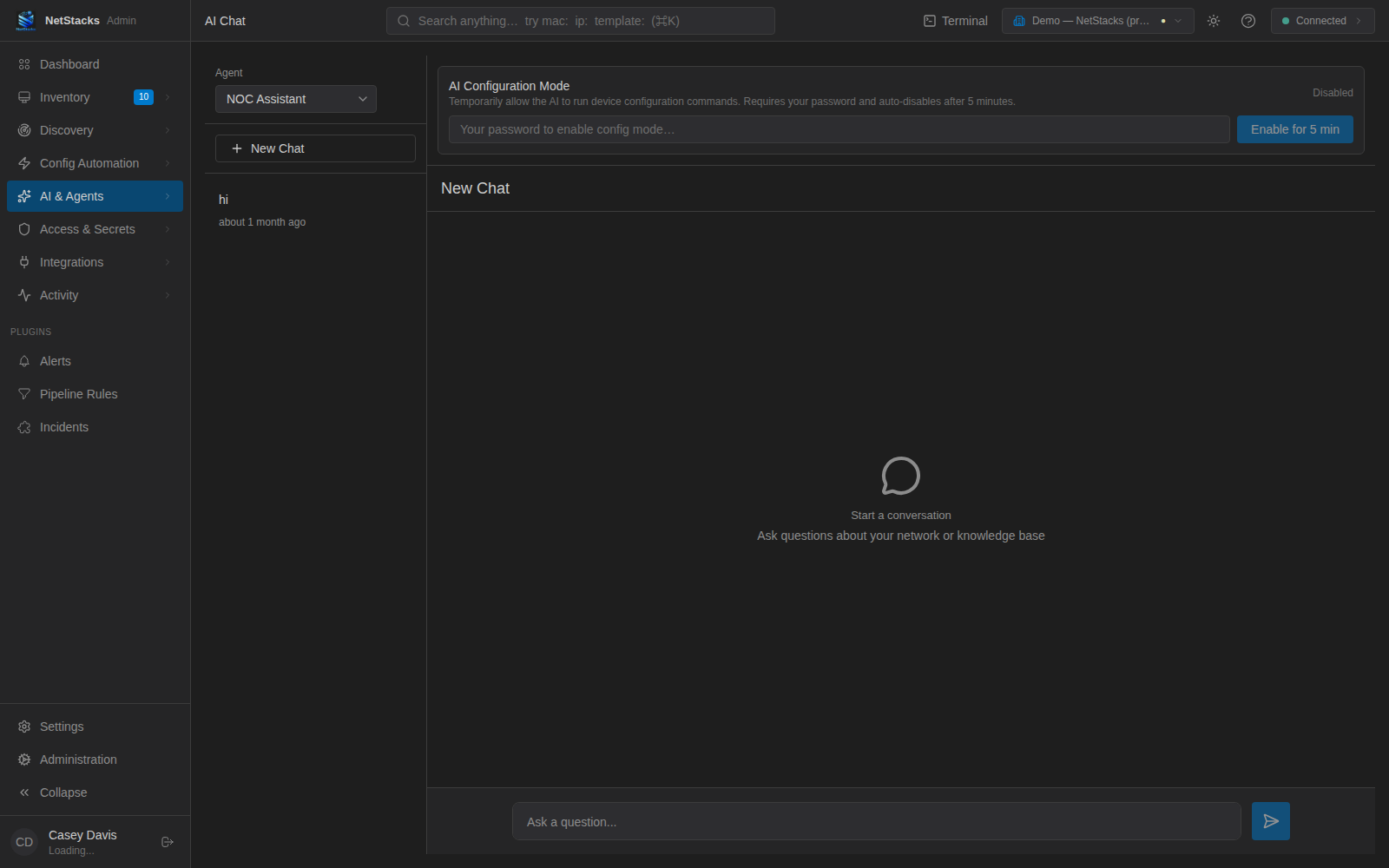
- Pick an Agent: NOC Assistant (the default) or one of your enabled agents. Choosing an agent uses its system prompt for the conversation.
- Click New Chat, type in “Ask a question...” and press Enter (Shift+Enter for a new line).
- Answers that used knowledge base documents show N source(s); the Sourcespanel lists each document's title, category and excerpt.
Message actions: Copy to clipboard on answers, Regenerate response on the last answer (sends the question again), and Edit message on your last question (copies it back into the input box). Earlier conversations are listed on the left and on the Chat History page.
Global System Prompt
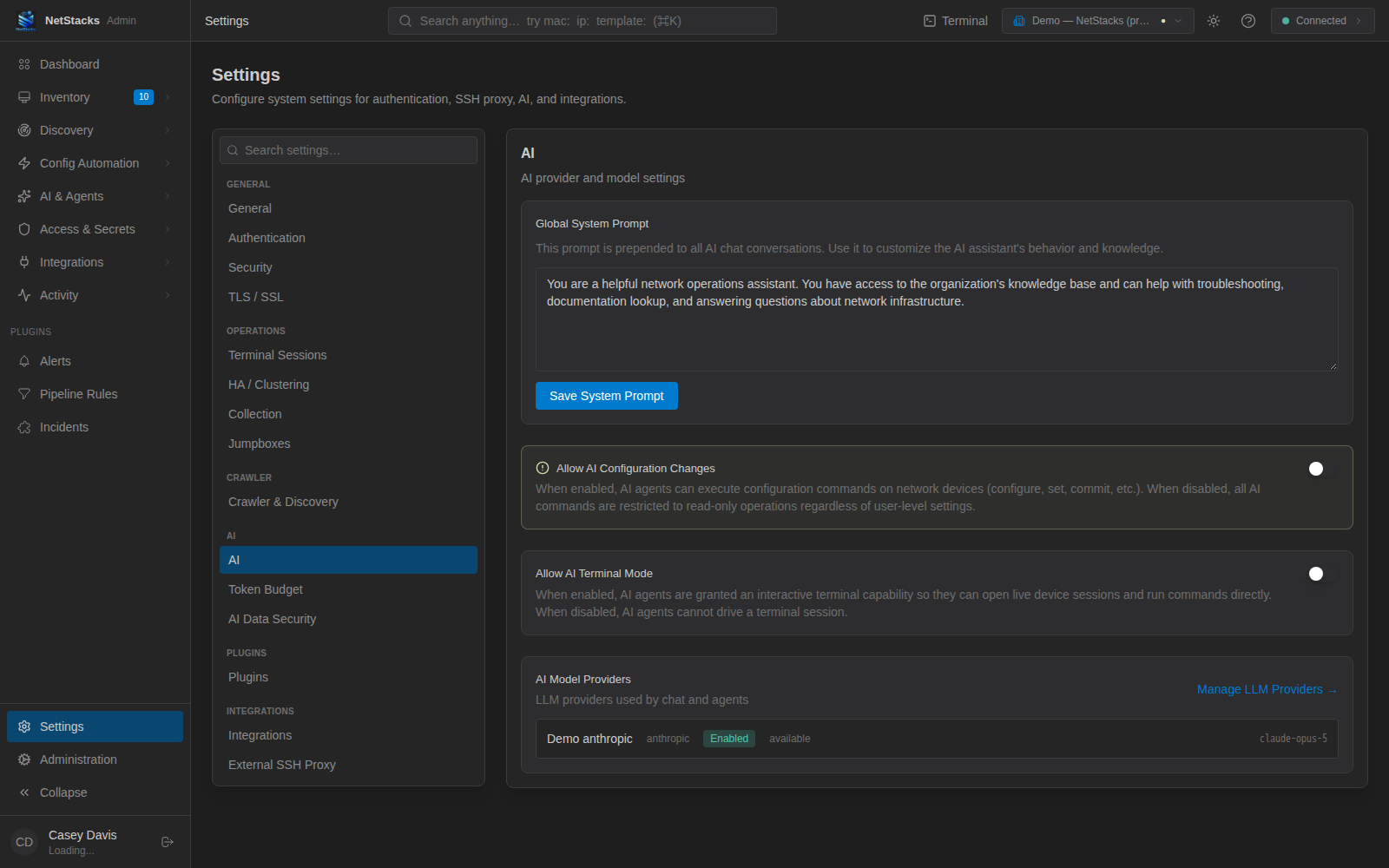
When no agent is selected, chat uses the Global System Prompt from Settings → AI in the admin console. Edit it and click Save System Prompt. The active AI Engineer Profile is added in front of it.
Tips & Troubleshooting
- Answers ignore your docs — check the Health tab: documents must be Indexed and the embedding service Available.
- A document is Failed — open it and click Retry Processing.
- Keep content useful — troubleshooting reports from Troubleshooting Sessions are an easy way to build up searchable, environment-specific knowledge.